01Adding a team member means setting up several logins.
Invite staff through Platform and assign their venue role and app access.
Give the person a shared starting point for their connected tools.
Manage restaurant profiles, staff invitations, app permissions and subscriptions in one place. Platform gives every connected BistroApps tool its venue context, so your team can open the tools they need for the restaurant they are working in.
Free app trials for the first 50 restaurants.
Staff accounts, venue access and app subscriptions are managed in different places.
Invite staff through Platform and assign their venue role and app access.
Give the person a shared starting point for their connected tools.
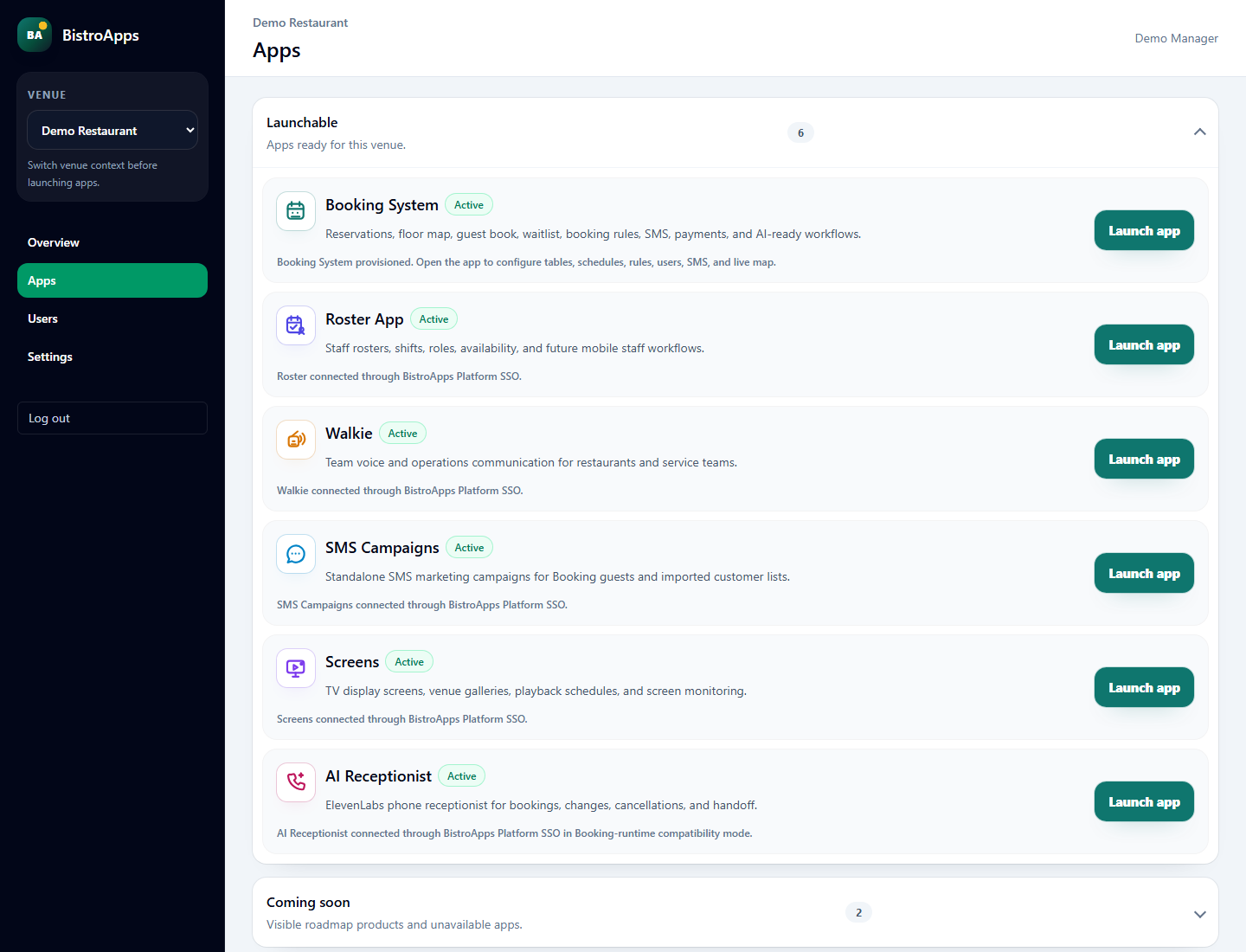
Choose the active venue and launch apps with the permitted restaurant context.
Make the restaurant you are working on explicit.
Review apps, subscription states, renewal details and invoices by restaurant.
Keep software administration in the same place as access.
Open Booking, Roster, Walkie, SMS Campaigns, AI Receptionist and Screens through Platform, subject to venue access and activation.
Manage venue identity, contact details, hours and locale, then switch between restaurants you can access.
Invite users into the restaurant and manage their venue role from the central users area.
Choose app access and supported app-specific permissions, including settings and Walkie supervisor access.
Archive a user’s access for the current restaurant account and reinstate it when appropriate.
See subscriptions grouped by restaurant, interval and lifecycle information, renewal details and recent invoices, with supported Stripe-hosted management actions.
Want to see how this would work in your restaurant?
Set up my restaurant’s appsSet up their access around the role they will actually do.
EXAMPLE WORKFLOWWork in the right venue and invite the new team member.
Assign the venue role, connected apps and appropriate permissions, such as Walkie supervisor access.
The supervisor signs in and opens the apps available for that venue.
Clear requirements help you decide whether Platform fits the way your restaurant works.
Discuss my setupTell us about your devices, workflow and venue.
Talk through the details ↗
It is the shared entry point for your BistroApps account, venue selection and app access. Staff launch the tools assigned to them from there.
Yes. User management combines venue roles, app access and supported app-specific permissions. Access depends on the venue’s activated tools.
Yes. Platform supports venue management and authorised venue switching. The selected restaurant provides the context for connected app launches.
No. Platform shares account, venue and access context. Specific workflows connect selected apps—for example Booking audiences in SMS and Booking tools for AI Receptionist. Each app still has its own operational data.
The first 50 restaurants are invited to trial selected app access free. We’ll confirm availability, terms and any separate provider usage costs before setup.
Tell us what you need to solve. We’ll discuss the fit, explain the setup and help you take the next step.