01Staff walk across the venue just to pass a message.
Press to talk on the relevant venue channel.
Coordinate a table, a pickup or a request without leaving your section.
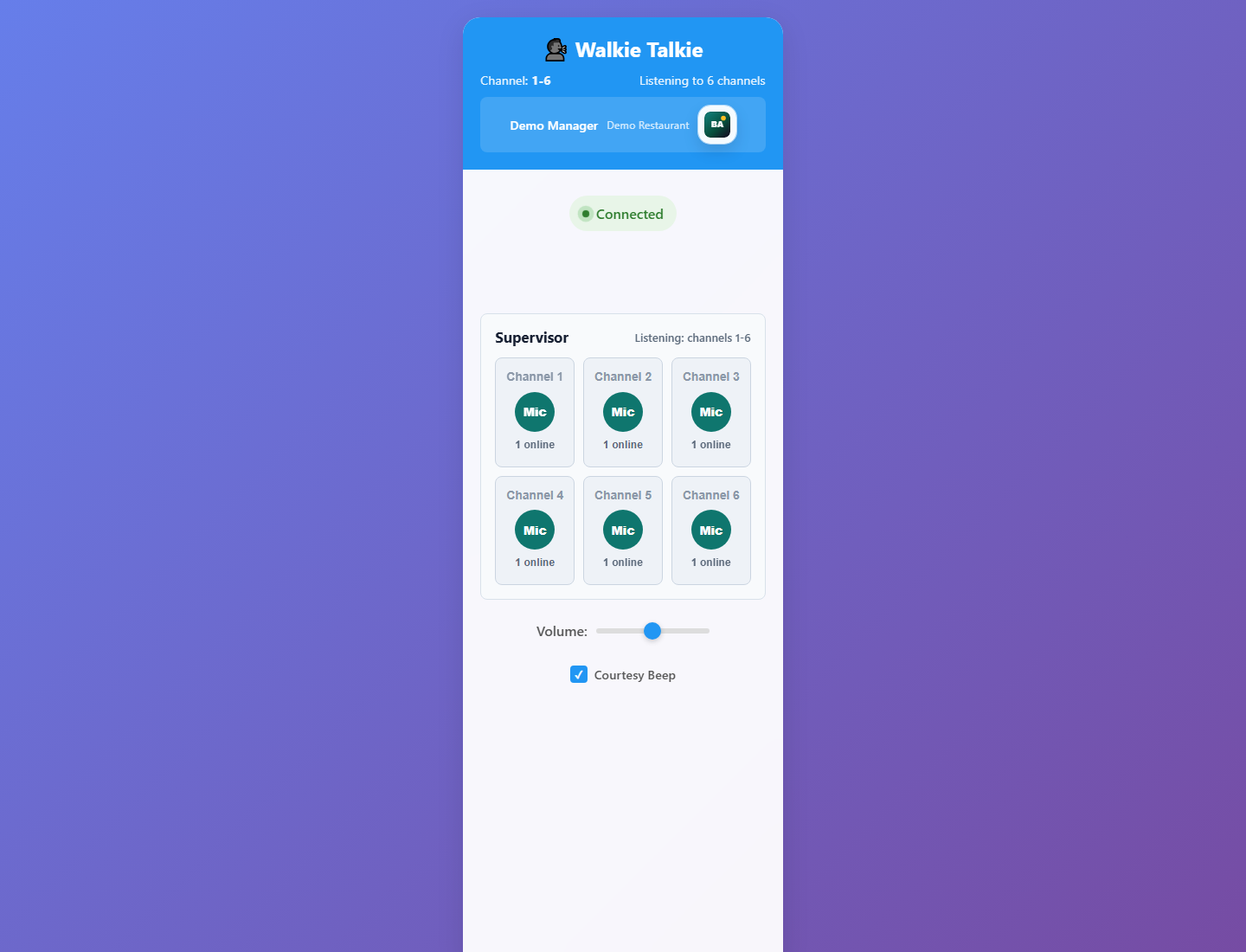
Push-to-talk voice for a live restaurant service. Keep conversations in venue channels, give supervisors access to channels 1–6 and replay recent transmissions when someone misses an update.
Free app trials for the first 50 restaurants.
Messages are being shouted across sections or lost in a busy group chat.
Press to talk on the relevant venue channel.
Coordinate a table, a pickup or a request without leaving your section.
Use the supervisor view for authorised access to channels 1–6.
Keep visibility across the service team and address the right channel.
Review recent transmissions with sender names and timestamps, and replay the audio.
Catch the update without asking everyone to repeat it.
Press and hold to transmit audio to your selected channel, then release to finish speaking.
Channels and their message histories are scoped to the restaurant account and venue.
Authorised supervisors get a dedicated view of channels 1–6 with individual push-to-talk controls.
Audio history includes sender identity and timestamps, with individual and sequential playback. Retention is configurable.
Use the responsive web app on supported desktop and mobile browsers, with microphone permission and a working connection.
An Android app includes a foreground duty service for service-floor use. Device permissions and background behaviour are checked during setup.
Want to see how this would work in your restaurant?
Try Walkie with my teamAn example of a short, targeted service exchange.
EXAMPLE WORKFLOWAgree which venue channel the floor team will use.
Press to talk: “Runner to the pass, please.” Release when finished.
A teammate checks the recent transmission and replays the instruction.
Clear requirements help you decide whether Walkie fits the way your restaurant works.
Discuss my setupTell us about your devices, workflow and venue.
Talk through the details ↗
The interaction is push-to-talk, but audio travels over an internet connection. It is not a radio service and does not provide offline voice coverage.
Yes. Authorised supervisors have controls for channels 1–6. Agree your channel use with the team during setup.
Yes. Recent transmission history supports playback with sender identity and timestamps. The available history depends on retention settings.
We’ll check your exact phones, browsers, headsets and network. Audio routing and background behaviour depend on the device, so they should be verified in your venue.
The first 50 restaurants are invited to trial selected app access free. We’ll confirm availability, terms and any separate provider usage costs before setup.
Tell us what you need to solve. We’ll discuss the fit, explain the setup and help you take the next step.